
MyChart is Casey House’s online platform to view your upcoming appointments at Casey House and review documents.

Looking for health record information not found on your MyChart account? Make an information request here to learn more.
Visit the MyChart website at https://mychart.caseyhouse.ca/ , or download the MyChart app on the App Store or Google Play
To set up your account, view the guides below:
- Signing up with an activation code
- Signing up without an activation code
- How to request your medical records
- How to complete eCheck-in for individual appointments
- How to cancel an appointment
- Connect your Casey House MyChart account with your accounts from other hospitals with “Happy Together”
Email disclaimer
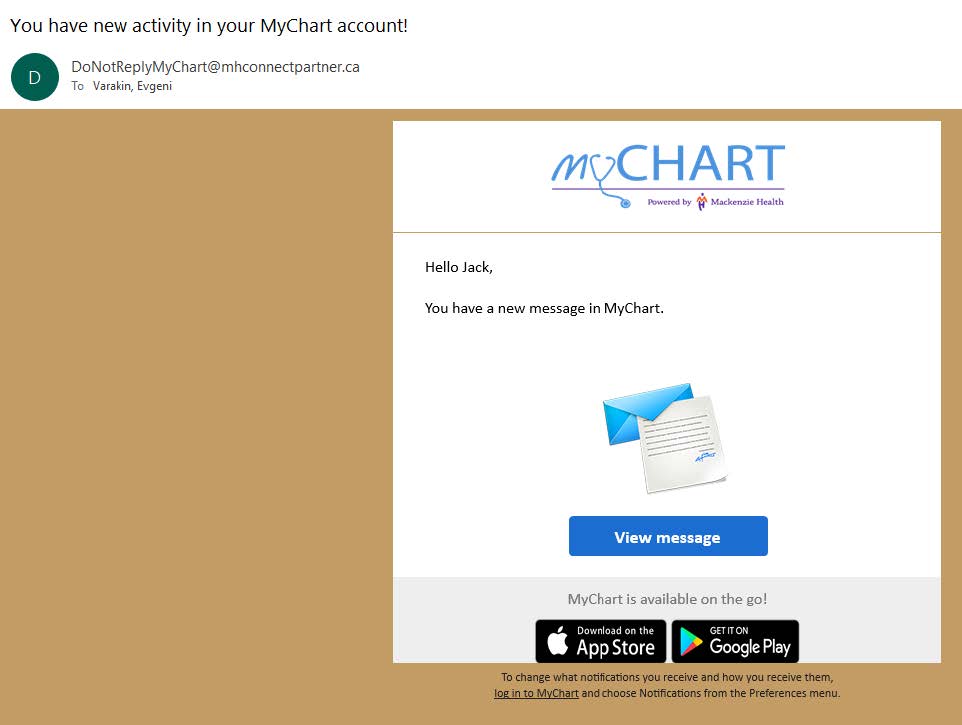
You will receive messages sent from an email address that ends with “@mhconnectpartner.ca” and see the logo “MyChart Powered by Mackenzie Health” at the top of the message. Casey House is technology partners with Mackenzie Health. Receiving emails from the “@mhconnectpartner.ca” does not mean that your care is delivered by Mackenzie Health.
We’re here to help
If you need assistance in setting up your accounts or accessing features, you can ask a staff member in-person, email mychartsupport@caseyhouse.ca , or give us a call at 416-324-5121 (Monday to Friday from 10 a.m. – 4 p.m. excluding holidays)